
Queries
Filter and sort a collection's documents, with the query checked before it runs, and read the results page by page.
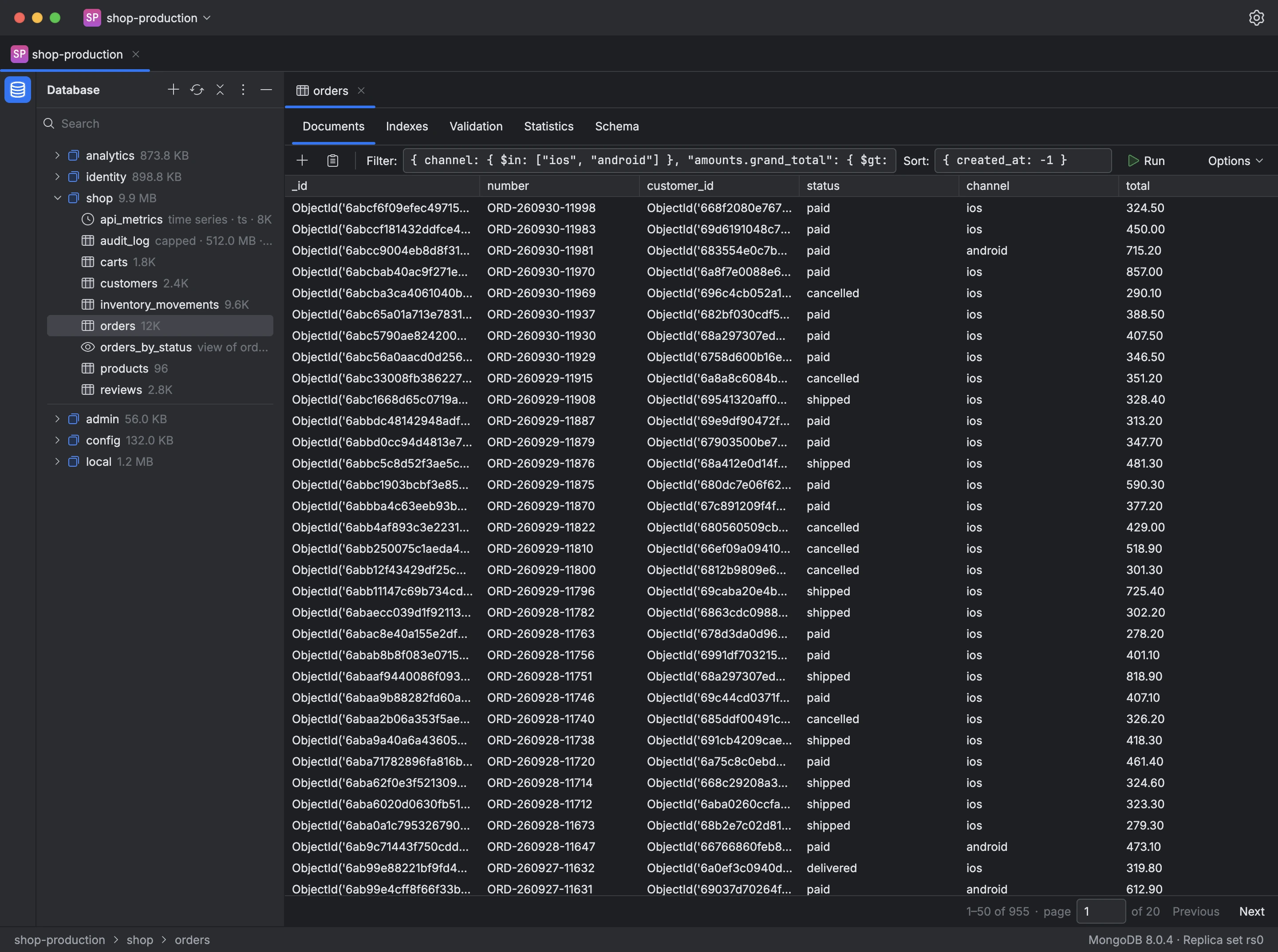
The bar above a collection's documents takes a Filter and a Sort in shell syntax, such as { status: "paid" } and { created_at: -1 }. Options adds a projection, a collation and a hint.
Mongiq checks the query before sending it and points out anything it can't parse, without contacting the server: a document that isn't valid shell syntax, a sort value other than 1 or -1, or a projection that both includes and excludes fields. If the server rejects a query, its response is shown, and a long-running query can be stopped.
Results come in pages of 50 documents, with the number of matching documents and the page number, which you can type to jump to a page.
- Open a collection in the tree.
- Enter a filter, and a sort if the order matters.
- Click Run, or press Enter in a field.
- Move between pages with Previous and Next.