
Collections and folders
Organize your requests in collections and folders on your computer, and come back to the tabs you left open.
Apiq keeps your collections on your disk and the secrets in the system keychain, with no cloud workspace, and checks every response.
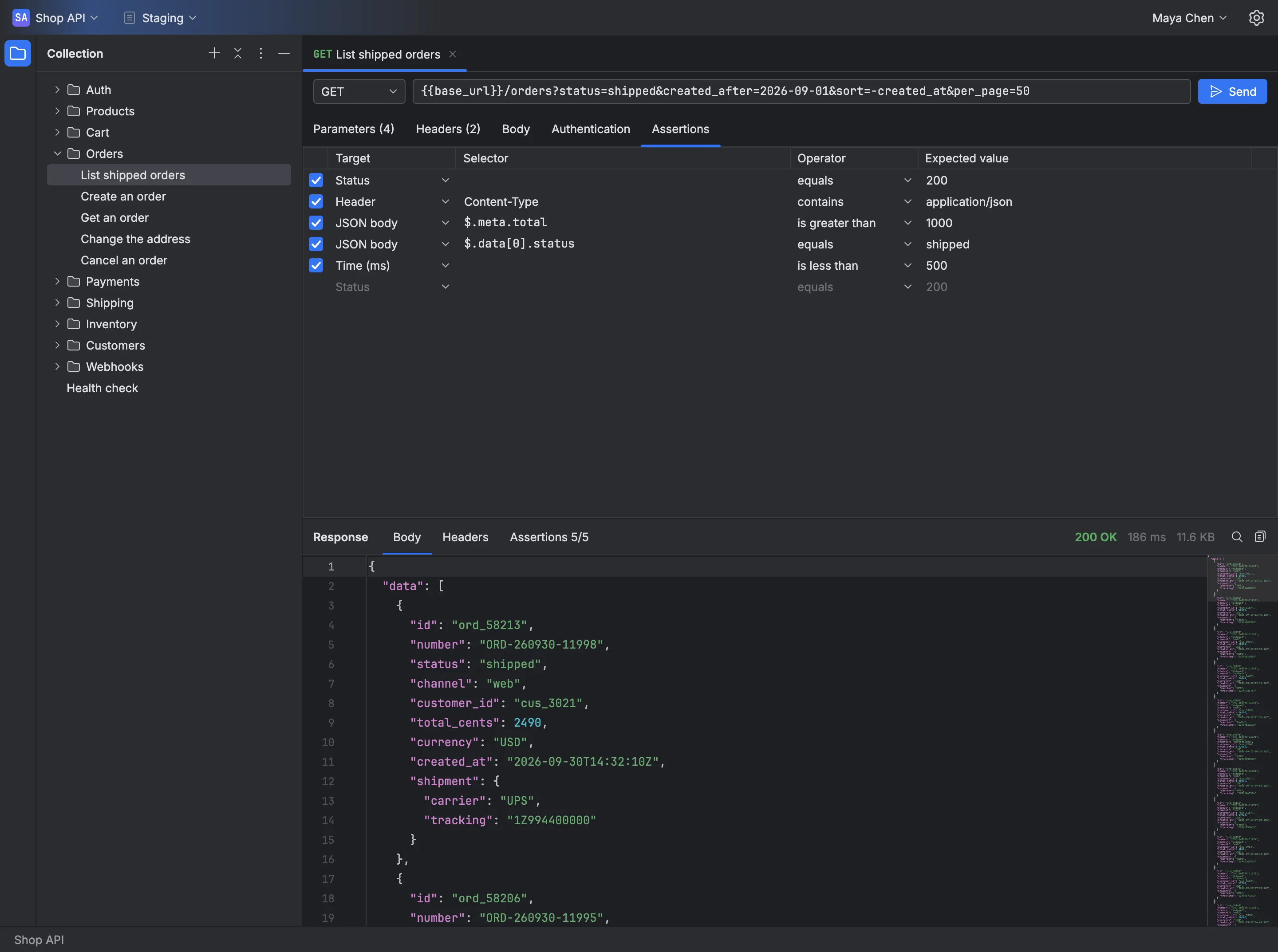
From the first GET to the assertion that proves the response, Apiq keeps your work on your computer and switches environments in one click.
Organize your requests in collections and folders on your computer, and come back to the tabs you left open.
Variables per environment, filled in on send, and secrets in the system keychain, never in the collection file.
Parameters and headers as a table or as text, a JSON, text or form body, and Bearer or Basic authentication.
Status, headers, JSON body and time checked on every send, with the result next to the response.
Apiq tells you inside the app when a new version is out.
Apiq runs as a desktop app on macOS 13 or later and on Windows 10 version 1809 or later.
One installer for each system, always with the latest version of Apiq. Once installed, Apiq tells you inside the app when a new version is out.
SmartScreen: the Windows installer is not code-signed yet, so Windows shows a warning when you open it. To install, click More info and then Run anyway.
Non-commercial use of Apiq is free and needs no account. On the Commercial plans, Apiq asks you to sign in with your Demuxer account.
Use all of Apiq for free for personal projects, study, teaching and open source. To test APIs at work, subscribe on your own with Commercial Individuals or with your team with Commercial Organizations.
For personal use, study, teaching and open source or non-profit projects. No account and no sign-up: download and use it.
For those who test APIs at work on their own: one seat with all of Apiq. Valid for Apiq only.
For use on behalf of a company: the seats you choose, handed out among the people of your account. It holds for Apiq only.
How the billing, the trial, the seats and cancelling the subscription work.
For personal use, study, teaching and open source or non-profit projects. No account and no sign-up: download and use it. Whoever uses the app in paid work or for a company needs a Commercial plan or the All Products Pack.
Non-Commercial is free. The Commercial plans of Apiq are charged by the month and by the seat, in reais: the total of the month is the price of a seat times the seats of the subscription. Commercial Individuals has a single seat. On Commercial Organizations you choose how many, and whoever opened the account takes one of them.
While the subscription is on trial, nothing is charged, and the page of the subscription shows until when the trial runs. When it ends, the monthly charge of the seats begins. If you cancel during the trial, it runs to its end, nothing is charged, and then the account is left with no subscription.
Whoever opened the account cancels on the page of the subscription, in the area of the account. The plan holds until the end of the period already paid, and nothing already paid is refunded. After that the account is left with no subscription and Apiq no longer opens.
Whoever opened the account invites each person by e-mail, on the page of the team, and the invitation takes a seat right away. The person creates their account through the link of the e-mail and signs in to Apiq with it. Turning someone off frees their seat, and the number of seats changes on the page of the subscription.
On up to three machines a seat, on the Commercial plans. To use Apiq on a new machine, free the place of another on the page of the subscription. Commercial Organizations also activates a machine with no internet.
On macOS 13 or newer and on Windows 10 version 1809 or newer. For non-commercial use, Apiq opens with no account; on the Commercial plans, it asks you to sign in with your Demuxer account.