
Documents
View a collection's documents in a table, open one as JSON and save it with every value keeping its type.
A collection's Documents tab shows its documents in a table with a column for each field. An embedded document or array in a cell is summarized by the number of fields or items it contains.
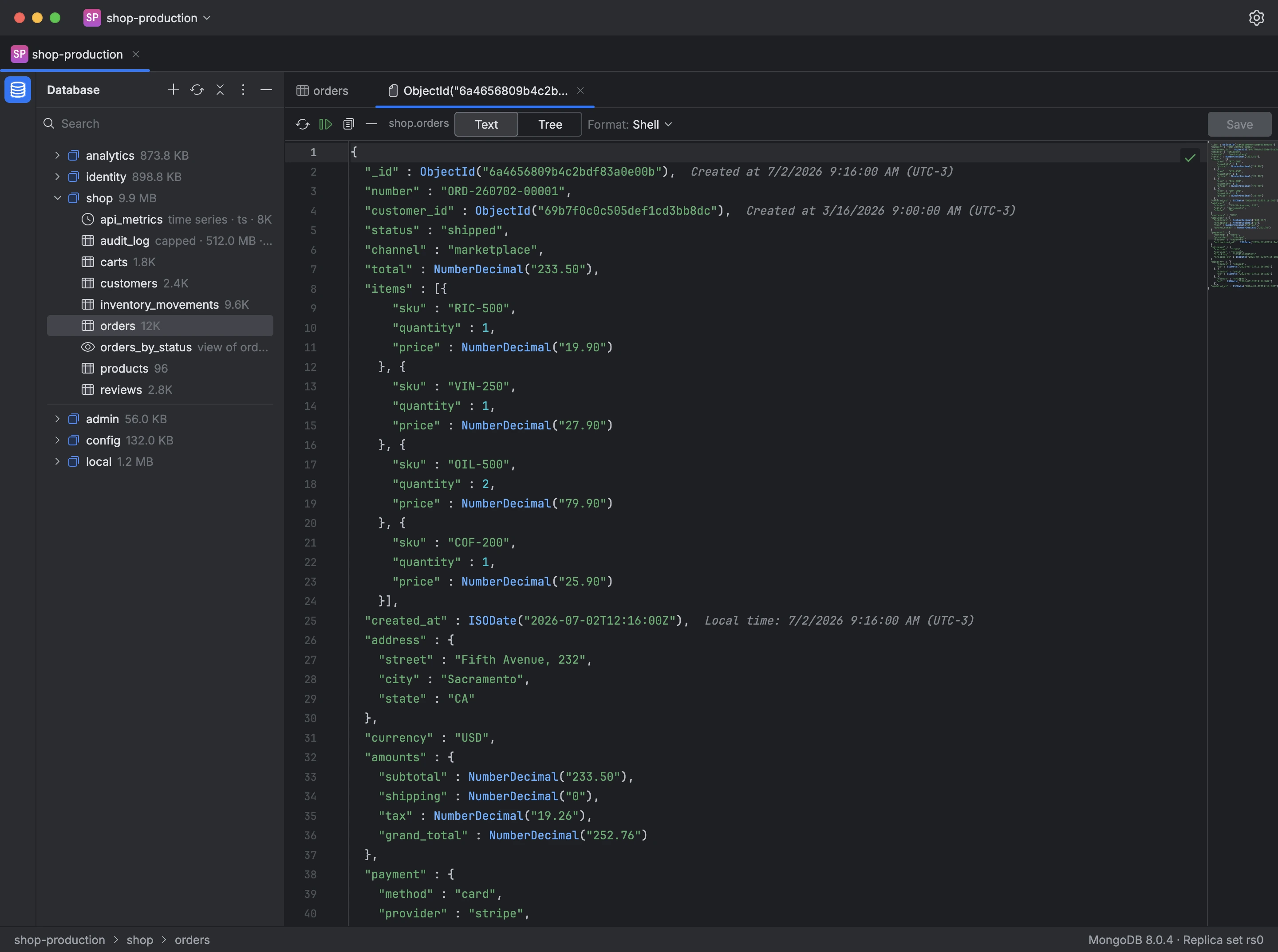
A document opens in its own tab, as Text or as a Tree. The text uses the format you choose, Shell, Relaxed EJSON or Canonical EJSON, and every value keeps its type when you save: an ObjectId stays an ObjectId, a NumberDecimal stays a NumberDecimal and an ISODate stays a date, with its time in your time zone shown next to it. The _id can't be changed.
If someone else changes the document while you're editing it, Mongiq tells you before saving and lets you reload it, compare it with the server or overwrite it. Before saving, it can also show your changes next to the document as it was originally read.
- Open a collection in the tree.
- Double-click a row in the table, or select it and press Enter.
- Edit the document as text or as a tree.
- Click Save.