
YAML editing
Edit manifests validated against the cluster's published schema, see what each field does, and compare your changes with the cluster before applying them.
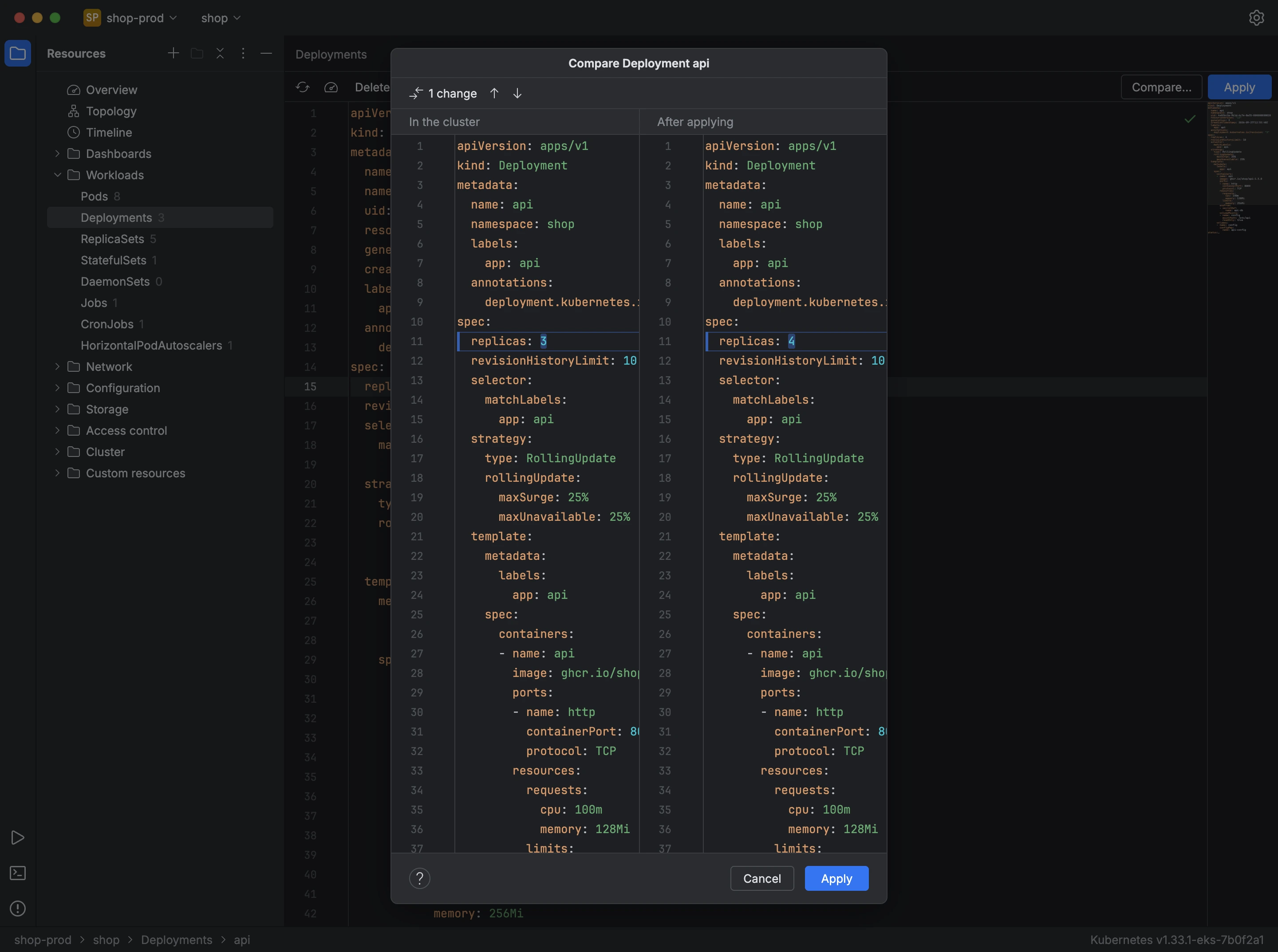
Opening a resource opens its manifest in an editor that reads the cluster's OpenAPI schema, including the schemas of custom resources. As you type, it flags unknown fields, missing required fields, values of the wrong type and values the schema doesn't allow, and it suggests the fields and values that fit at the cursor. Hover over a field to see its description from the schema.
- Edit the manifest.
- Press Compare… to see, side by side, the resource as it is in the cluster and as it would be after your change, computed with a dry run that changes nothing.
- Press Apply. Kuberniq applies the manifest with Kubernetes server-side apply.
If another field manager owns a field you changed, Kuberniq names the field and asks before forcing the change. If the resource changed in the cluster since you opened it, Kuberniq offers to compare again or reload. Decode shows Secret values in plain text, and New resource starts a manifest for any kind the cluster serves.