
Logs and terminal
Follow a container's log as it is written, search it, save it to a file, and open a shell in the container.
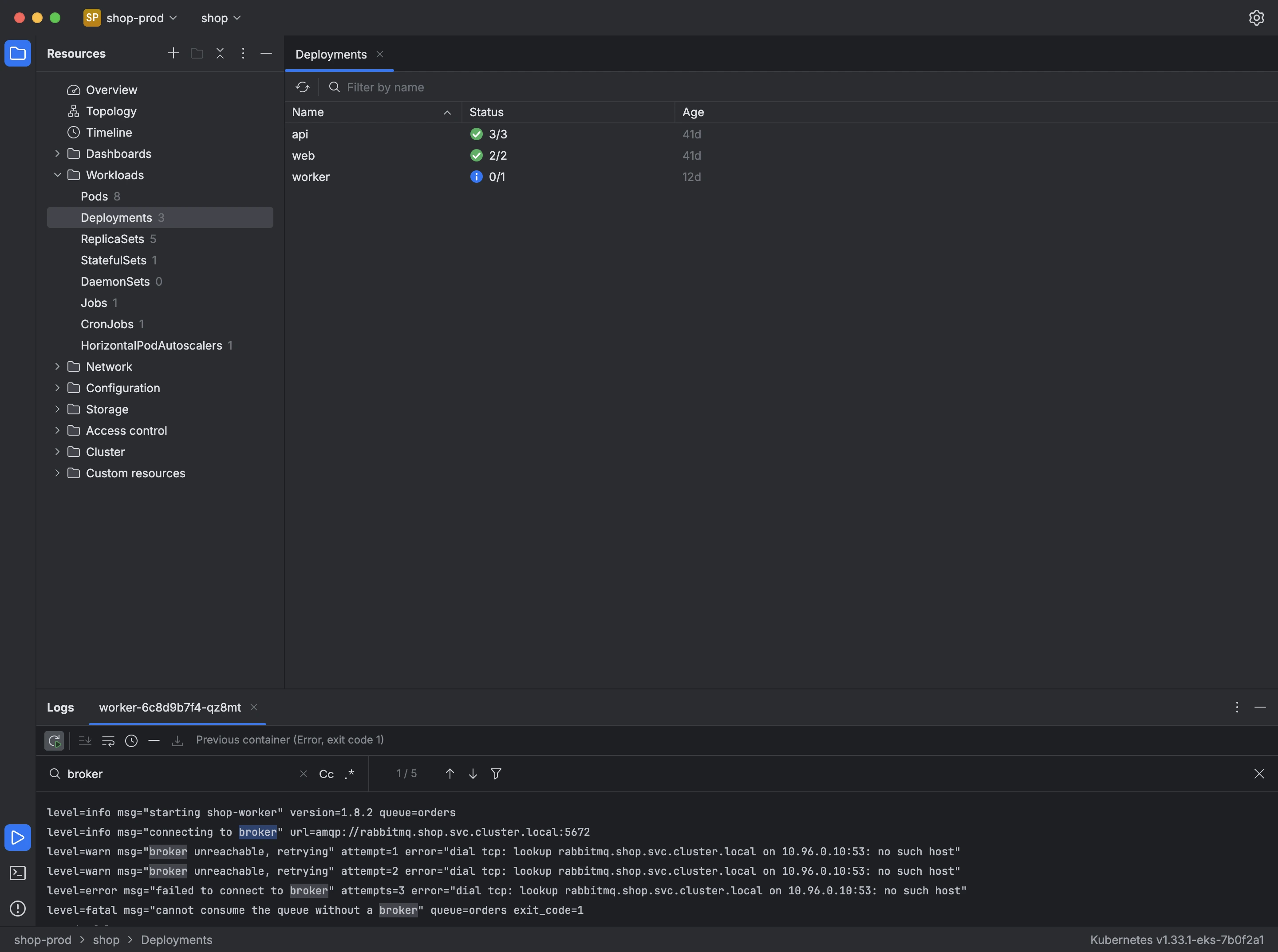
View logs, in the menu of a pod or workload, opens the log in the panel at the bottom of the window. A workload's log combines the logs of its pods and notes when a pod joins or leaves.
- Scroll to the end keeps the newest lines in view as they arrive.
- Previous container shows the log from before the last restart, with the reason and exit code it ended with.
- Press Ctrl+F, or Cmd+F on a Mac, to search the log as plain text or as a regular expression. Cc makes the search case-sensitive, and the filter button keeps only the matching lines.
- Soft-wrap and Timestamps change how lines are displayed, and Download log… saves the log to a file.
Open Terminal, in a pod's menu, opens a shell in one of its containers in the Terminal panel, with one tab per session.