
Scale and rollout
Set a workload's replicas or its autoscaler's limits, restart its pods, and roll it back to an earlier revision.
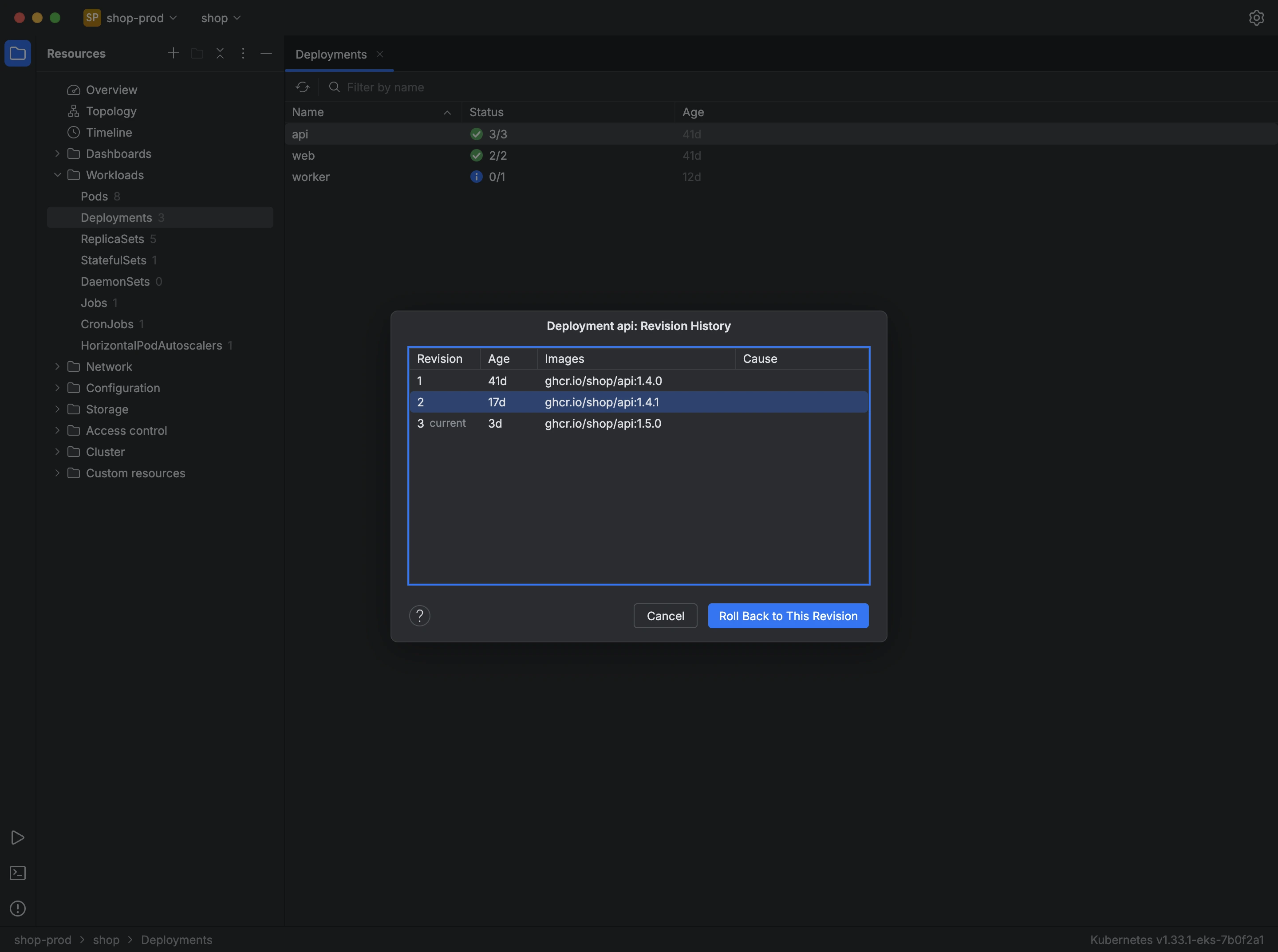
A workload's menu in the table holds the actions that change how it runs:
- Scale… opens a dialog to set the replicas of a deployment or stateful set, or the parallelism of a job. When a HorizontalPodAutoscaler scales the workload, the dialog sets the autoscaler's minimum and maximum replicas instead.
- Restart recreates the pods one at a time, following the workload's update strategy. Kuberniq asks first, unless you turn that question off in the settings.
- Pause rollout and Resume rollout hold and release a deployment's rollout right away.
- Revision History… lists the workload's revisions with their age and images.
To roll a workload back:
- Open Revision History… from the workload's menu.
- Select the revision you want to return to.
- Press Roll Back to This Revision.
Each dialog links to the Kubernetes documentation for what it does.
References
- https://kubernetes.io/docs/reference/kubectl/generated/kubectl_scale/
- https://kubernetes.io/docs/tasks/run-application/horizontal-pod-autoscale/
- https://kubernetes.io/docs/reference/kubectl/generated/kubectl_rollout/kubectl_rollout_restart/
- https://kubernetes.io/docs/reference/kubectl/generated/kubectl_rollout/kubectl_rollout_undo/