
Messages
Read a topic's messages from the beginning, from the end, from an offset or from a point in time, with formatted values, and produce messages with a key and a partition.
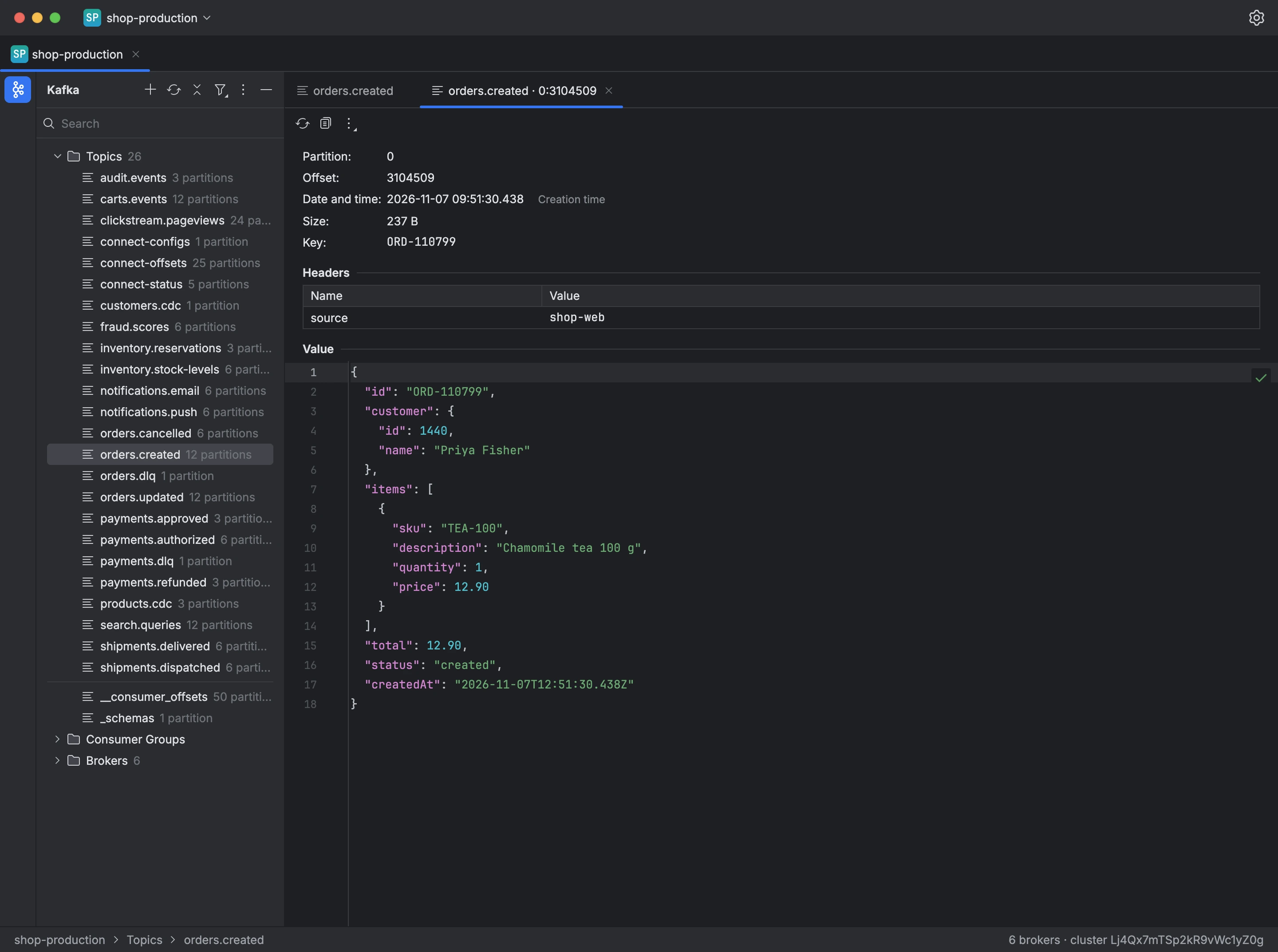
A topic's Messages tab reads its messages into a table showing each one's partition, offset, date and time, key, value and size. Reading joins no consumer group and commits no offset, so it never affects the topic's consumers.
The bar above the table sets where reading starts:
- Partition: all partitions, or one.
- Start: the most recent messages, the oldest, an offset, or a date and time.
Opening a message shows its partition, offset, timestamp, key, headers and value. JSON values are formatted and foldable, text is shown as is, and binary values as a hex dump. You can copy the whole message, or just its key or value, and save the value to a file.
Produce Message writes a message to the topic with a value, key, headers, timestamp and partition. Without a partition, the partitioner picks one from the key; a null value writes a tombstone, which deletes the key in a compacted topic.
To read a topic's messages:
- Choose the topic in the tree.
- On the Messages tab, choose the partition and where to start.
- Click Read, and open a message to see it in full.