
Consumer groups
See the members, committed offsets and per-partition lag of a cluster's consumer groups.
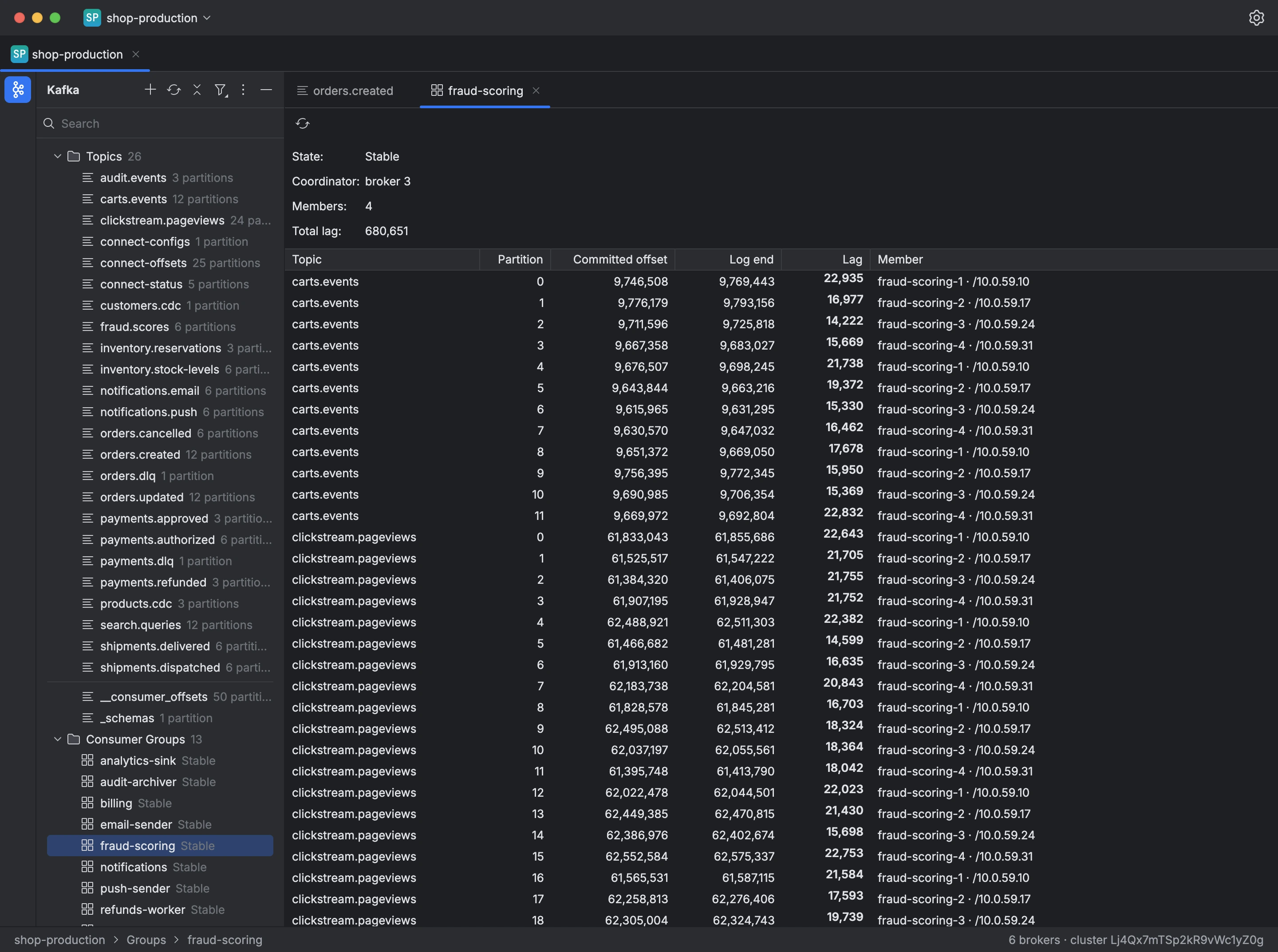
A connection's tree lists the cluster's consumer groups under Consumer Groups, and Open Overview opens a table of all of them, searchable by id, where you can delete several groups at once.
Opening a group shows its state, coordinator, members and total lag, plus a table with a row for each partition it reads: the topic, the partition, the committed offset, the log end, the lag, and the member reading it.
A group with no members can be deleted, which deletes its committed offsets; a consumer that rejoins with the same id starts over according to its auto.offset.reset policy.
To see a group's lag:
- Expand Consumer Groups in the tree.
- Double-click the group.
- Read the total lag at the top and each partition's lag in the table; Refresh reads them again.