
Topics
Create, delete, rename and copy a cluster's topics, add partitions, elect leaders and purge messages.
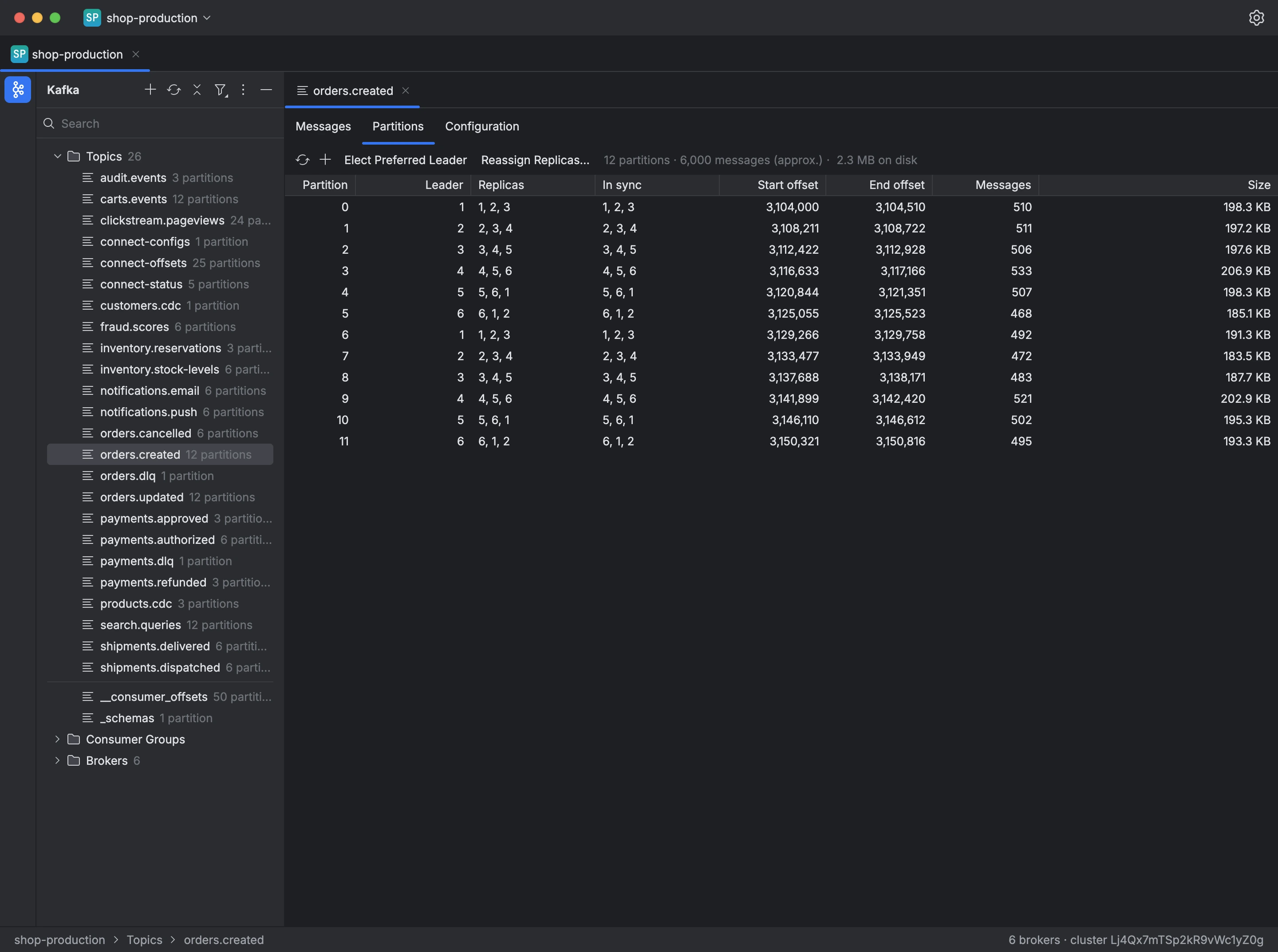
The tree on the left of a connection lists the cluster's topics with their partition counts, and the search box filters them by name. Internal topics stay hidden until you turn on Show Internal Topics.
A topic's menu has its actions:
- New Topic… creates a topic with its partitions and replication factor and, under Advanced, its retention, maximum size, cleanup policy,
min.insync.replicasand any other setting asname=value. - Delete Topic… deletes the topic and all its messages, after you confirm.
- Rename Topic… creates a topic with the new name and copies every message into it, partition by partition, then keeps or deletes the old one. Kafka cannot rename topics, so consumer groups and their offsets stay on the old topic. Choosing Keep the old one makes a copy of the topic.
- Add Partitions… increases the topic's partition count.
- Purge Topic… deletes the topic's messages and keeps the topic.
A topic's Partitions tab shows, for each partition, the leader, the replicas, the in-sync replicas, the offsets and the size on disk. From there, Kafiq elects the preferred leader, runs an unclean election after you confirm, reassigns replicas to other brokers, and purges the messages of the partitions you choose.
To create a topic:
- Open the Topics menu in the tree and choose New Topic….
- Enter the name, the partitions and the replication factor.
- Click Create.