
Cluster and configuration
See a cluster's brokers, its controller and their disk usage, and each topic's configuration with where every value comes from.
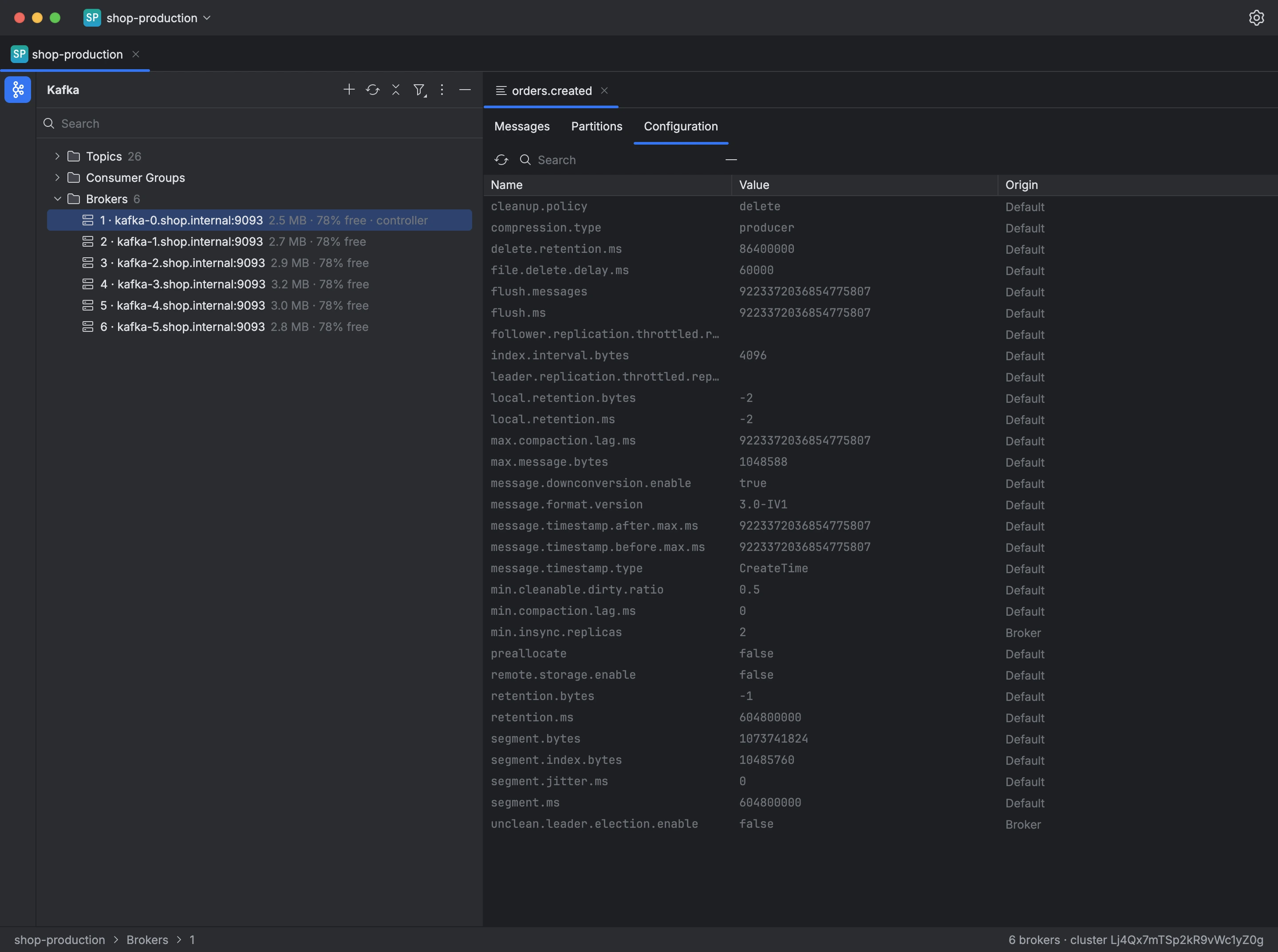
A connection's tree lists the cluster's brokers under Brokers, each with its id, address, the disk space its logs use and the free disk space, and marks the controller. Cluster Details shows the cluster id, the controller, and each broker's address and rack.
A topic's Configuration tab lists every setting with its value and origin:
- Topic: set on the topic itself.
- Broker: inherited from the broker configuration.
- Default: Kafka's default value.
The search box filters settings by name, Hide Default Values keeps only those set on the topic or the broker, and secret values are shown as hidden. Edit Value… changes a topic setting, and Reset to Inherited returns it to the broker value or the default. A change that may delete messages, such as a shorter retention, asks for confirmation first.
To change a topic's configuration:
- Choose the topic in the tree and open its Configuration tab.
- Open the setting's menu and choose Edit Value….
- Enter the value and apply it.