
Scripts
Run JavaScript before a request is sent and after its response arrives, to prepare it, test it and pass values on to the next requests.
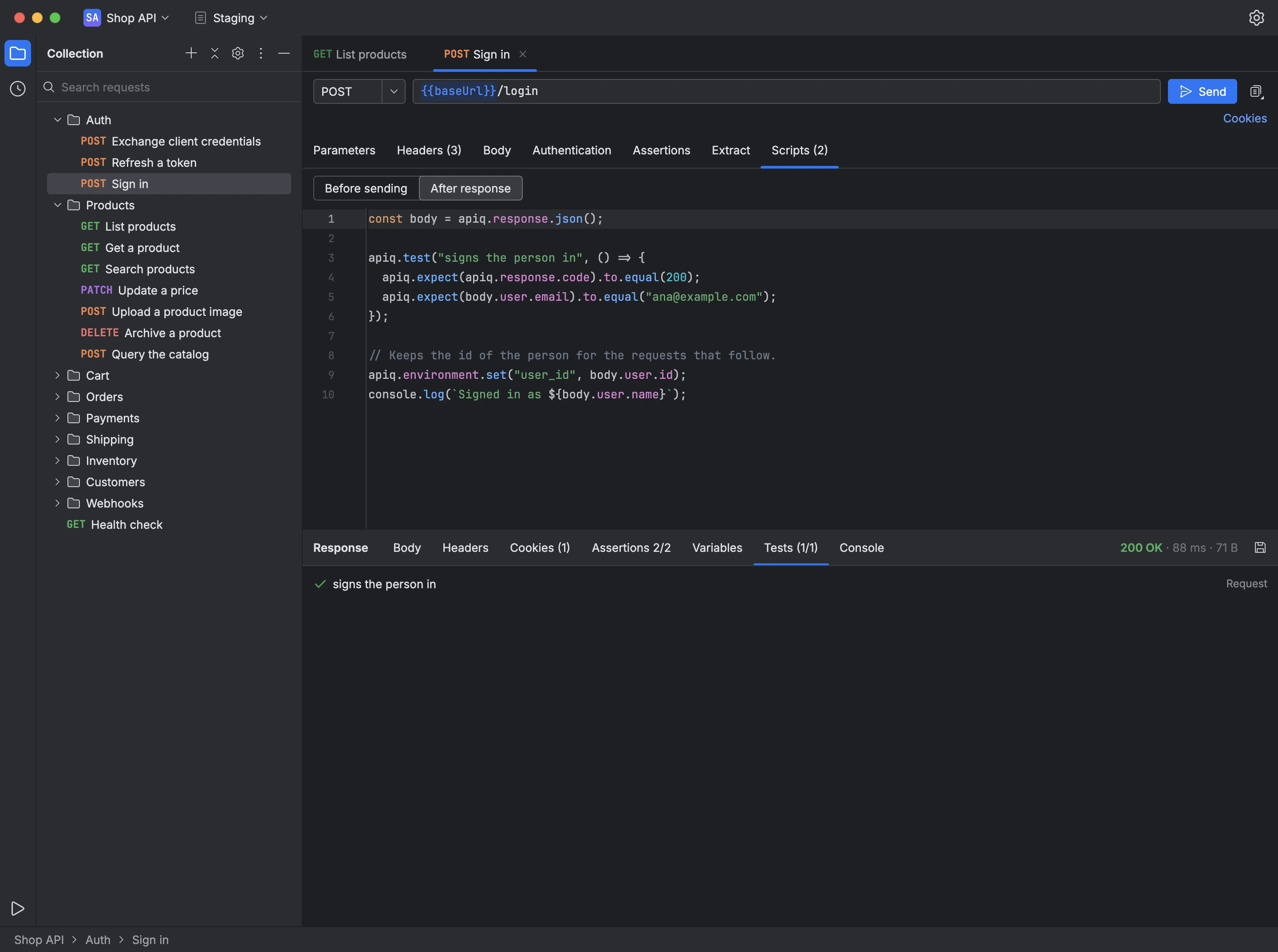
A request's Scripts tab holds two scripts: Before sending, which can change the request, and After response, which can read the response. Folders and the collection can have scripts too, which run around every request inside them.
Scripts reach the request and the response through apiq, also available as pm, so scripts written for Postman keep working:
apiq.variables,apiq.environment,apiq.collectionVariablesandapiq.globalsread and write variables;apiq.requestchanges the URL, headers and body before the send;apiq.responseexposes the response's status, headers, time, text and JSON;apiq.testandapiq.expectwrite tests with Chai-style assertions;apiq.sendRequestsends another request from within the script;console.logwrites to the response's Console tab;requireloads libraries such as lodash, moment, ajv, cheerio, crypto-js and uuid.
Each script runs in a sandbox, with time and memory limits, and no access to the files on your computer.
- Open a request's Scripts tab and choose Before sending or After response.
- Write the script; the editor suggests
apiqmembers as you type. - Send the request, then read the test results in the response's Tests tab and the script's output in Console.