
Assertions
Check the status, headers, body and response time of every response as it arrives, without writing a script.
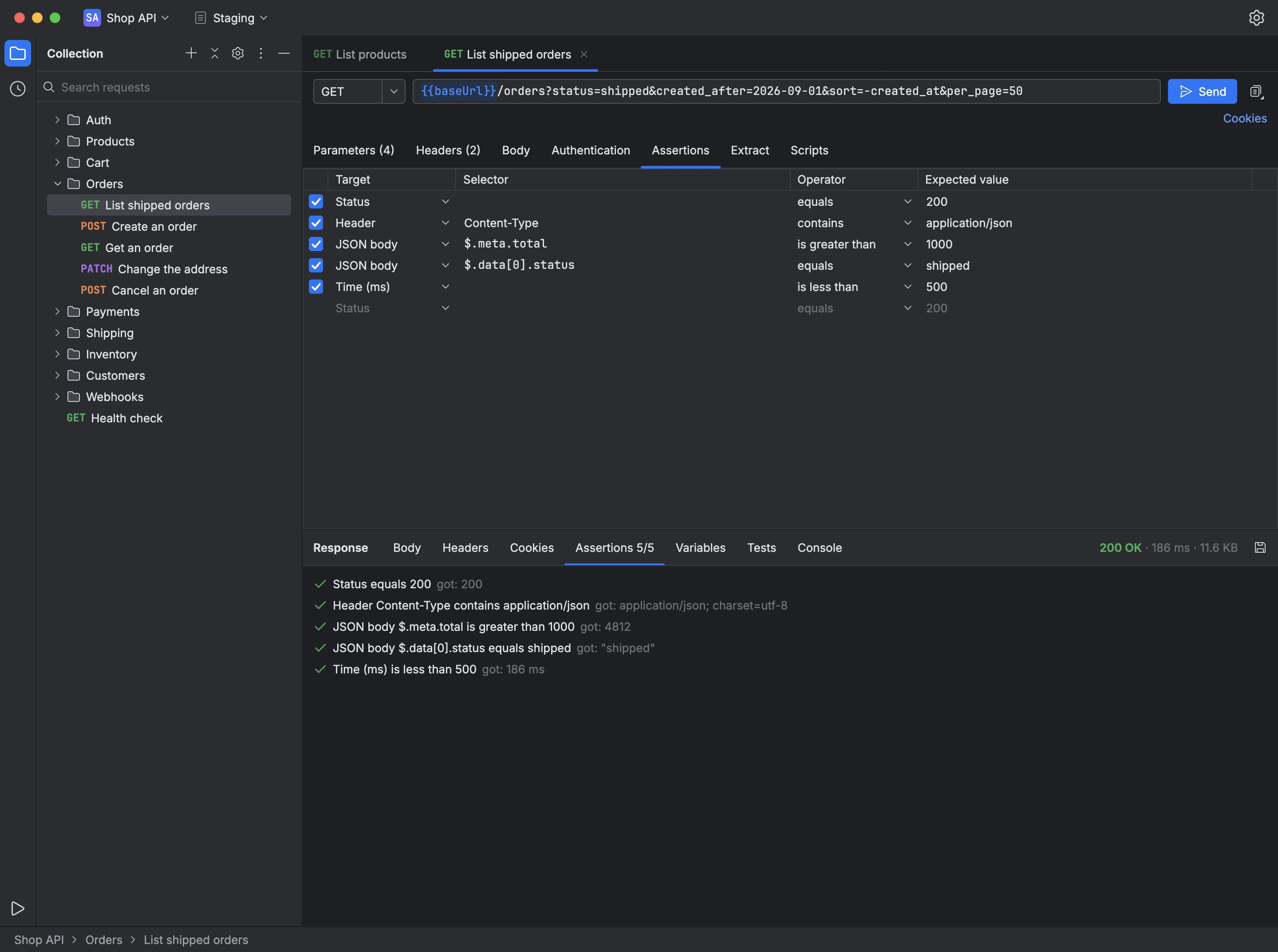
An assertion compares part of the response with the value you expect, and Apiq checks every assertion of the request each time you send it. The response's Assertions tab shows how many passed and, for any that failed, what came back instead.
An assertion can check:
- the status code;
- a header, by name;
- a value in a JSON body, located by a JSONPath such as
$.data[0].status; - the whole JSON body, against a JSON Schema;
- a value in an XML body, located by an XPath;
- the body as plain text;
- the response time, in milliseconds.
It compares using equals, not equals, contains, does not contain, exists, does not exist, less than, greater than, or matches a regular expression.
- Open the request's Assertions tab.
- Add a row, choose what it checks and how it compares, and enter the expected value.
- Send the request and read the results in the response's Assertions tab.