
Collections
Organize each API's requests into a collection of folders stored on your computer, and pick up where you left off with your open tabs.
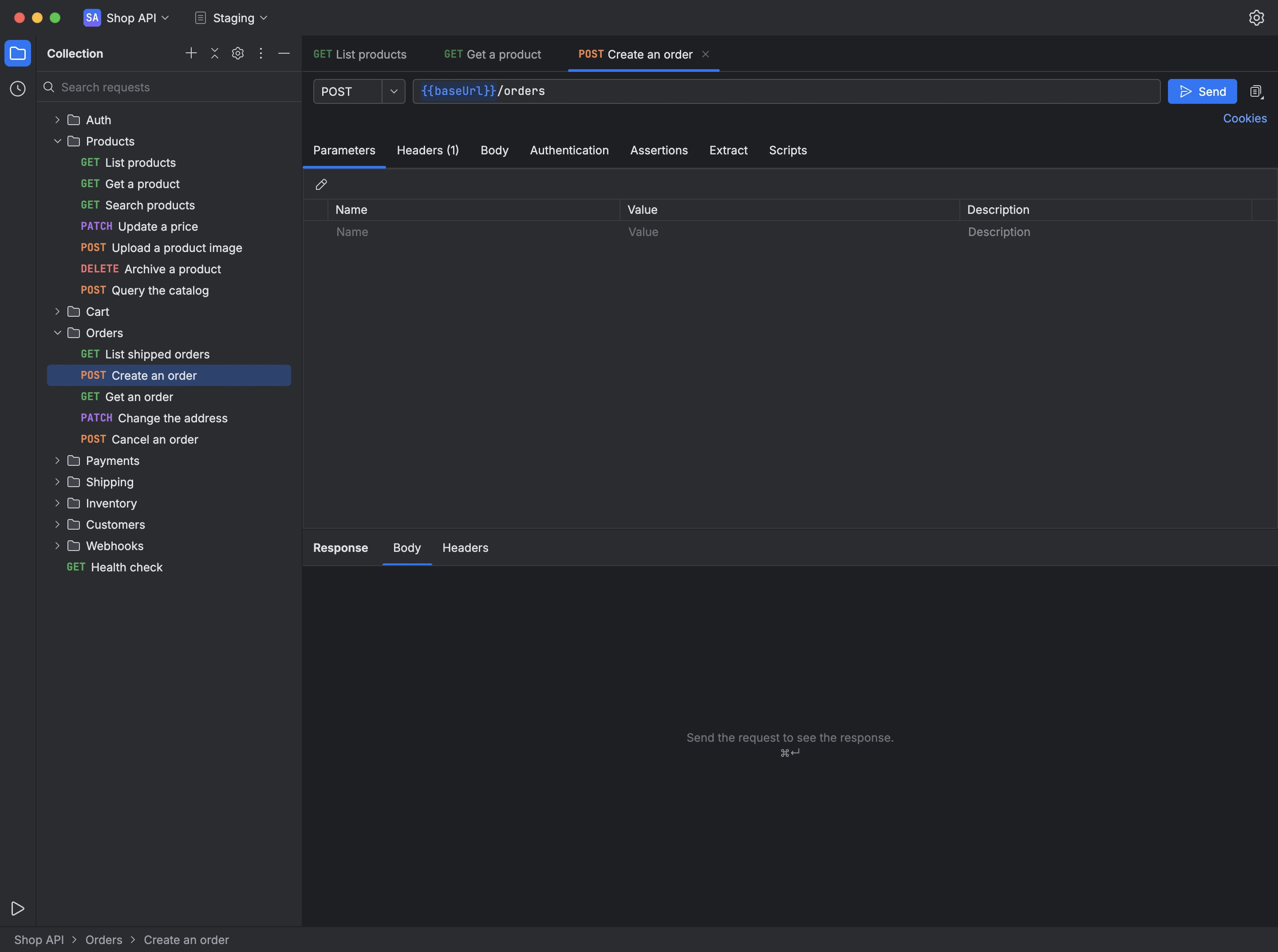
A collection groups an API's requests into folders, along with its environments and variables. Apiq stores each collection in a file on your computer, without syncing through a server. A collection can also open in its own window from its menu.
The window shows the collection tree on the left, your open request tabs in the center and, in the status bar, the path of the selected tab. Your tabs, expanded folders and selected item are restored the next time you open the collection.
- On the welcome screen, choose New Collection and name it.
- In the tree, choose New to create a request or a folder at the current selection.
- Double-click a request to open it in a tab; cut, copy and paste items to move them between folders.
- Use Search requests above the tree to find a request by name or URL.
From a collection's menu on the welcome screen, you can rename it, duplicate it, change its color, open it in a new window or remove it from your computer.